Add Rewardful to your website
The final step is to add Rewardful to your website so that we can track visits, leads, and conversions.
These instructions have been prepared for The Copy Haus .
Instructions for Bubble
Choose a different setup method
Step 1: Install and configure Stripe.js 2 Plugin in Bubble
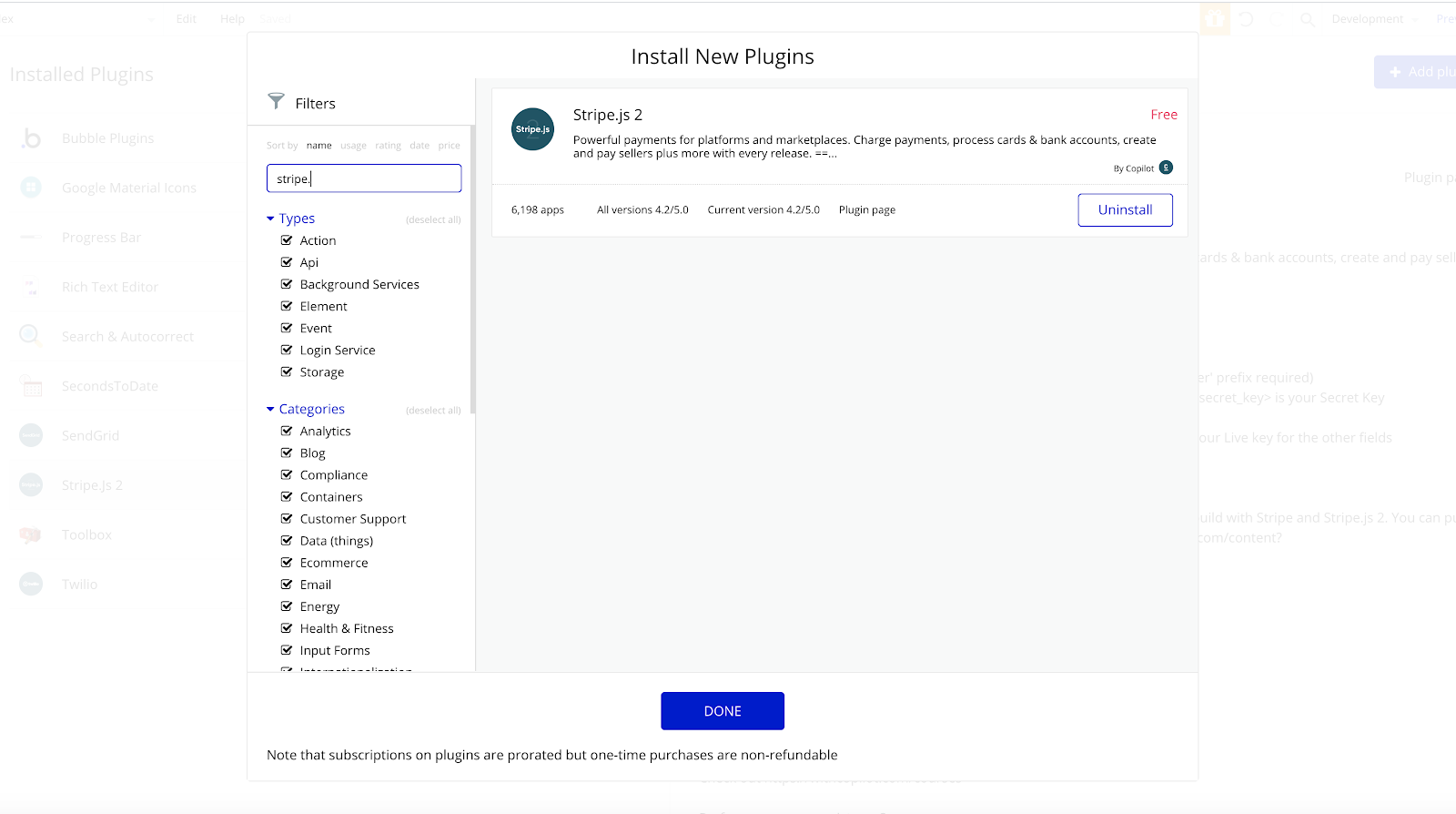
If you haven't already, install and configure the free
Stripe.js 2 Plugin
in Bubble.io. Be sure to configure your Stripe.js 2 API Keys in the Plugin Settings of Bubble.io.
💡For more details about the Stripe.js 2 plugin, check out this
Platform Payments 2 course
on Copilot.
Step 2: Install Rewardful's Click Tracking Script
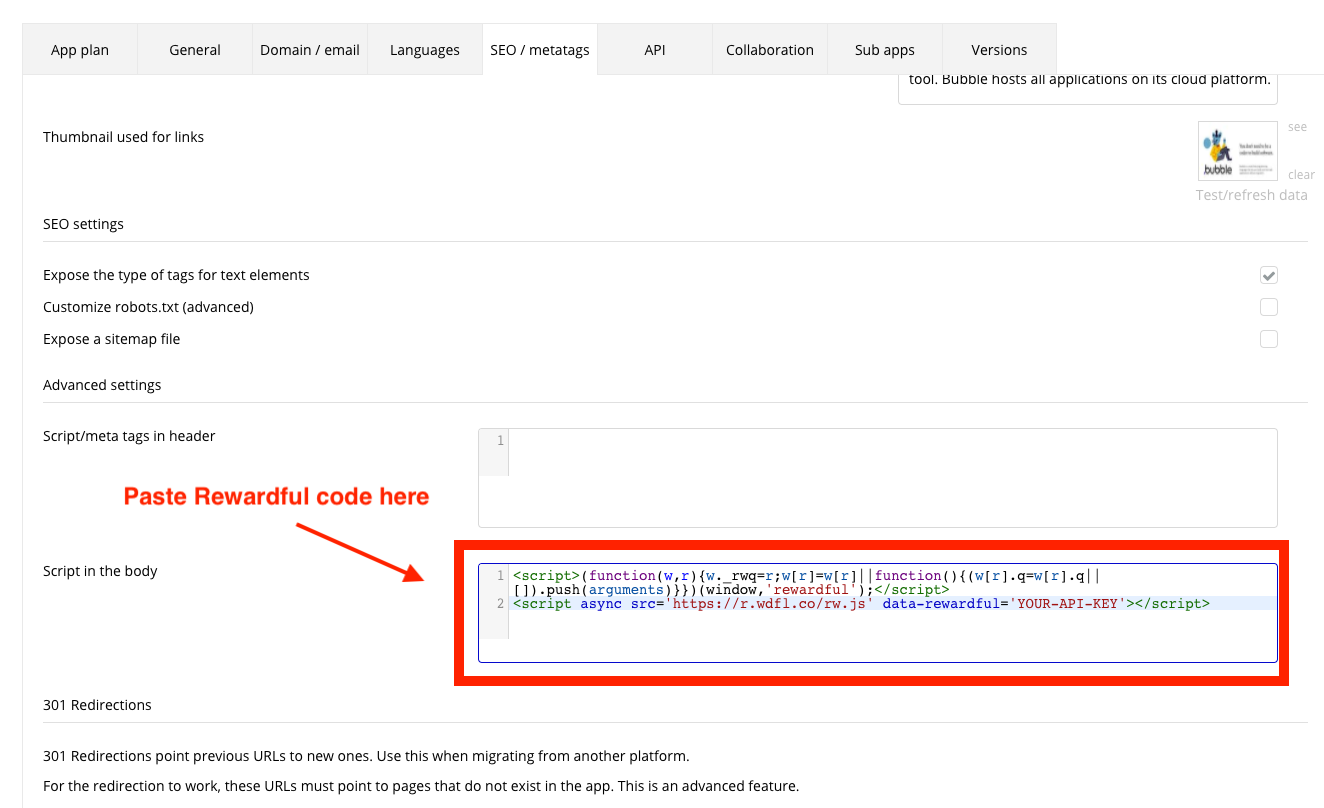
Navigate to Settings → SEO/metatags in your Bubble dashboard, then
copy & paste the code below into the textarea labelled Script in the body.
<script>(function(w,r){w._rwq=r;w[r]=w[r]||function(){(w[r].q=w[r].q||[]).push(arguments)}})(window,'rewardful');</script>
<script async src="https://r.wdfl.co/rw.js" data-rewardful="f504d0"></script>
Note:
If you're using a platform that has an official integration with Rewardful, simply copy & paste your Rewardful API key:
f504d0.
Step 3: Install Rewardful's Conversion Tracking Script
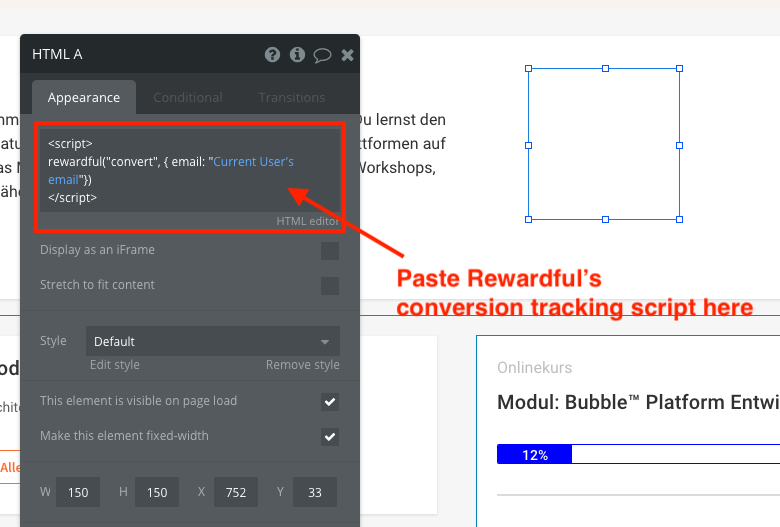
Create a workflow in Bubble that follows these basic steps:
- When user signs up, create a customer in Stripe
- Payments /Products page: Save payment method (with Stripe Element)
- Attach payment method to customer ID
- Create a subscription (with price, customer id, payment method)
- Trigger Rewardful conversion element with HTML element in Bubble
After the user signed up successfully, redirect him to a page only logged in,
subscribed users can see. Here you can create a HTML element in Bubble and
trigger Javascript with the client-side Javascript. Paste the script below in the HTML on this page:
<script>
  rewardful('ready', function() {
    rewardful('convert', { email: "Current User's email" });
  });
</script>