Add Rewardful to your website
The final step is to add Rewardful to your website so that we can track visits, leads, and conversions.
These instructions have been prepared for The Copy Haus .
Instructions for Circle
Choose a different setup method
Step 1: Add your Rewardful API Key to Circle tracking script
- Login to your Circle account.
- Click your community name or logo — or the dropdown icon next to it — at the left of the top navigation bar and select Site.
- In the sidebar menu, click Code Snippets.
- In the JavaScript code snippets field, add the following code.
(function(w,r){w._rwq=r;w[r]=w[r]||function(){(w[r].q=w[r].q||[]).push(arguments)}})(window,'rewardful');

(function(a,b,c,d){scriptElement=a.createElement(b),head=a.getElementsByTagName("head")[0],scriptElement.async=1,scriptElement.src=c,scriptElement.setAttribute("data-rewardful",d),head.appendChild(scriptElement)})(document,"script","//r.wdfl.co/rw.js","f504d0");
Note:
If you're using a platform that has an official integration with Rewardful, simply copy & paste your Rewardful API key:
f504d0.
For users with landing pages created outside of Circle:
If you have a landing page outside of Circle, use the following snippet to allow sharing affiliate information between cross domains. <mydomain1.com> should be replaced with the root domain of your external landing page. <mydomain2.com> should be replaced with the circle.so
(function (w, r) {
	  w._rwq = r;
	  w[r] =
	    w[r] ||
	    function () {
	      (w[r].q = w[r].q || []).push(arguments);
	    };
	})(window, "rewardful");
	(function (e, a, b, c, d, e) {
	  (scriptElement = a.createElement(b)),
	    (head = a.getElementsByTagName("head")[0]),
	    (scriptElement.async = 1),
	    (scriptElement.src = c),
	    scriptElement.setAttribute("data-rewardful", d),
	    scriptElement.setAttribute("data-domains", e),
	    head.appendChild(scriptElement);
	})(
	  window,
	  document,
	  "script",
	  "//r.wdfl.co/rw.js",
	  "f504d0",
	  "<mydomain1.com>, <mydomain2.com>, thecopyhaus.com"
	);
Note:
If you're using a platform that has an official integration with Rewardful, simply copy & paste your Rewardful API key:
f504d0.
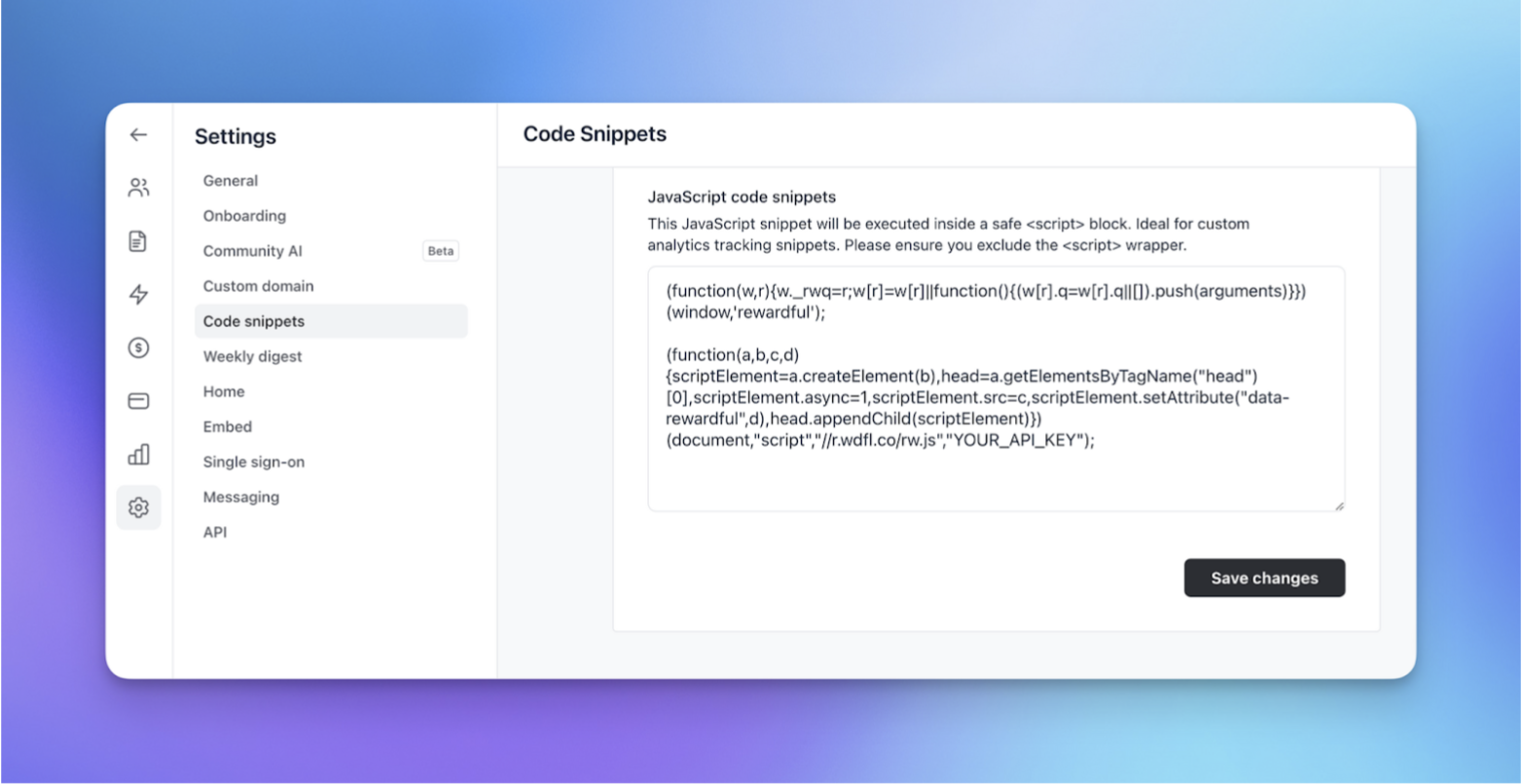
Once you have added code snippets in your community settings, click Save changes.
This will load Rewardful snippets in your community and track your referrals visiting your page once they get to any URL in your community.
Step 2: Add a tracking snippet and enable thank you page in the paywall
To add a tracking snippet in your paywall:
- In the Circle dashboard, click the dropdown icon beside the community name and select Paywalls from the menu.
- Hover over a paywall and click More actions (three dots) icon → Edit.
- Go to the Tracking tab and add the following snippet.
- Click Save.
<script>(function(w,r){w._rwq=r;w[r]=w[r]||function(){(w[r].q=w[r].q||[]).push(arguments)}})(window,'rewardful');</script>
<script async src="https://r.wdfl.co/rw.js" data-rewardful="f504d0"></script>

<script>
  rewardful('ready', function() {
    rewardful('convert', { email: "{member_email}" });
  });
</script>
Note: If you have a landing page outside of Circle, use the following snippet to allow sharing affiliate information between cross domains:
<script>(function(w,r){w._rwq=r;w[r]=w[r]||function(){(w[r].q=w[r].q||[]).push(arguments)}})(window,'rewardful');</script>
<script async src="https://r.wdfl.co/rw.js" data-rewardful="f504d0" data-domains="<mydomain1.com>, <mydomain2.com>"></script>

<script>
  rewardful('ready', function() {
    rewardful('convert', { email: "{member_email}" });
  });
</script>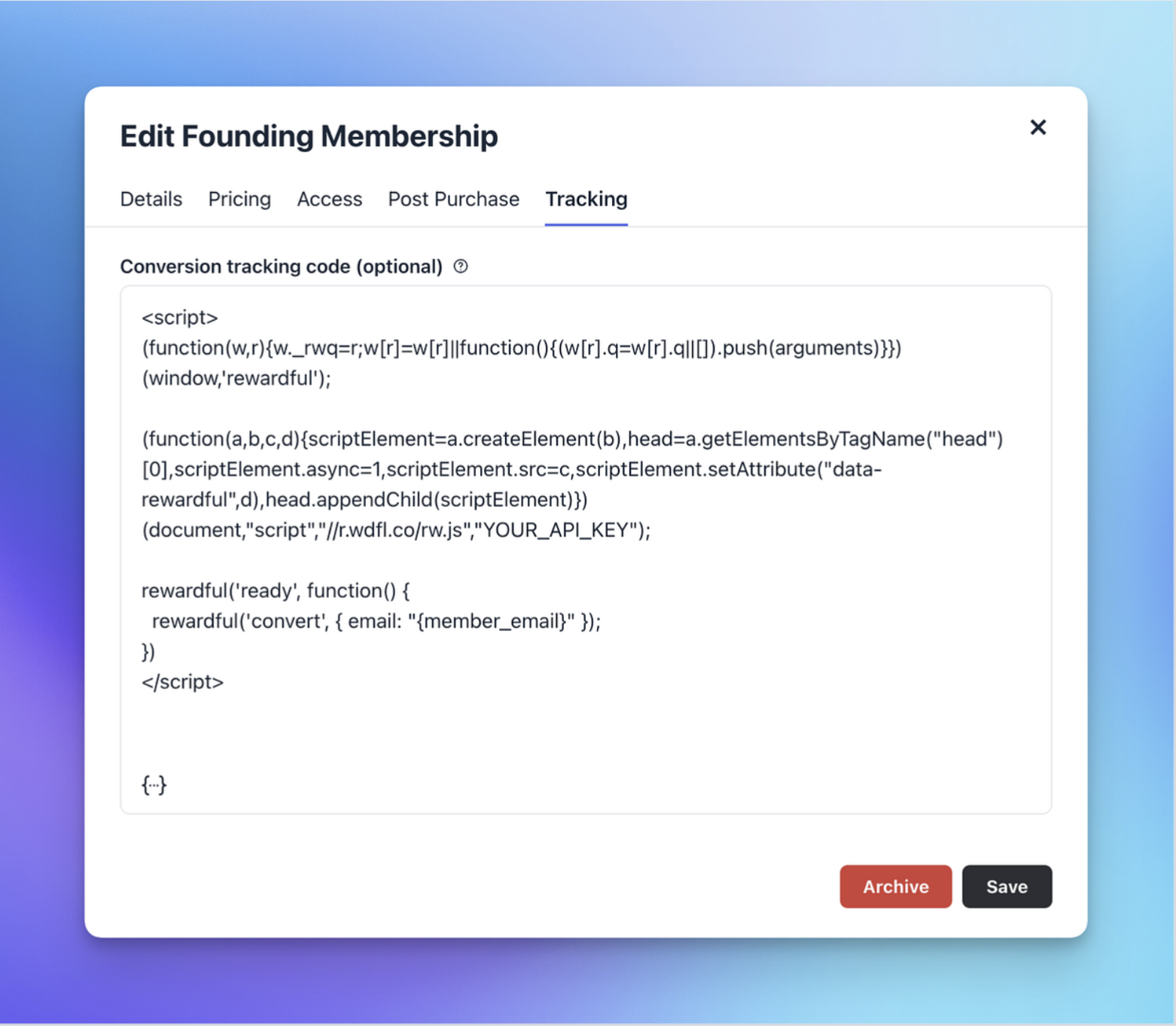
Note: This will load Rewardful snippets and run the convert action on your thank you page.
Learn more at the Circle Help Center
Integrating Rewardful with Circle paywalls