Add Rewardful to your website
The final step is to add Rewardful to your website so that we can track visits, leads, and conversions.
These instructions have been prepared for The Copy Haus .
Instructions for Marvelous
Choose a different setup method
- Login to your HeyMarvelous account.
- In the HeyMarvelous dashboard, navigate to Settings on the bottom left > Integrations > Rewardful or click here.
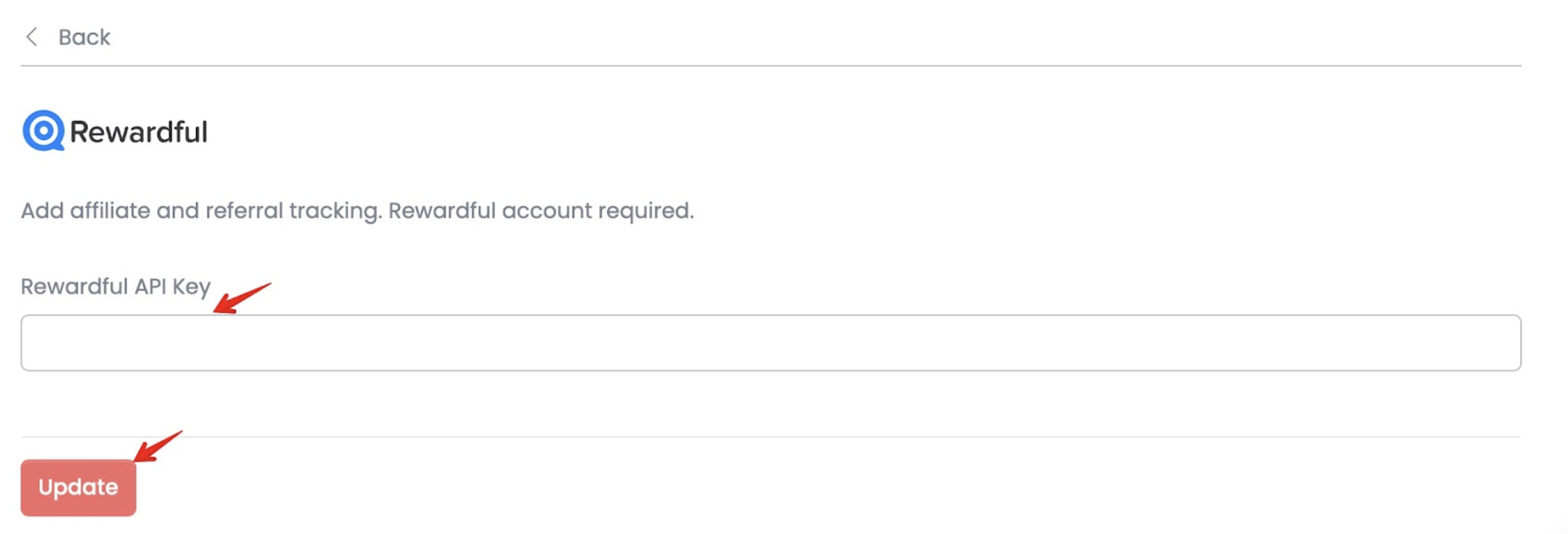
- Copy and paste your Rewardful API Key (shown below) into HeyMarvelous:
- Click on Update
Learn more at the HeyMarvelous Help Center
Integrating with Rewardful
Cross-Domain Tracking
If you have a separate landing page that your affiliates use to promote your offering, please
make sure you also add the Rewardful script on that page and include the
data-domains="yourstudio.heymarvelous.com, online.yourcustomdomain.com" parameter in
your script, where "yourstudio" is your heymarvelous.com subdomain and
"online.yourcustomdomain.com" is your custom Marvelous domain if you've connected one.
<script async src="https://r.wdfl.co/rw.js" data-rewardful="f504d0" data-domains="yourstudio.heymarvelous.com, online.yourcustomdomain.com"></script>