Add Rewardful to your website
The final step is to add Rewardful to your website so that we can track visits, leads, and conversions.
These instructions have been prepared for The Copy Haus .
Instructions for SamCart
Choose a different setup method
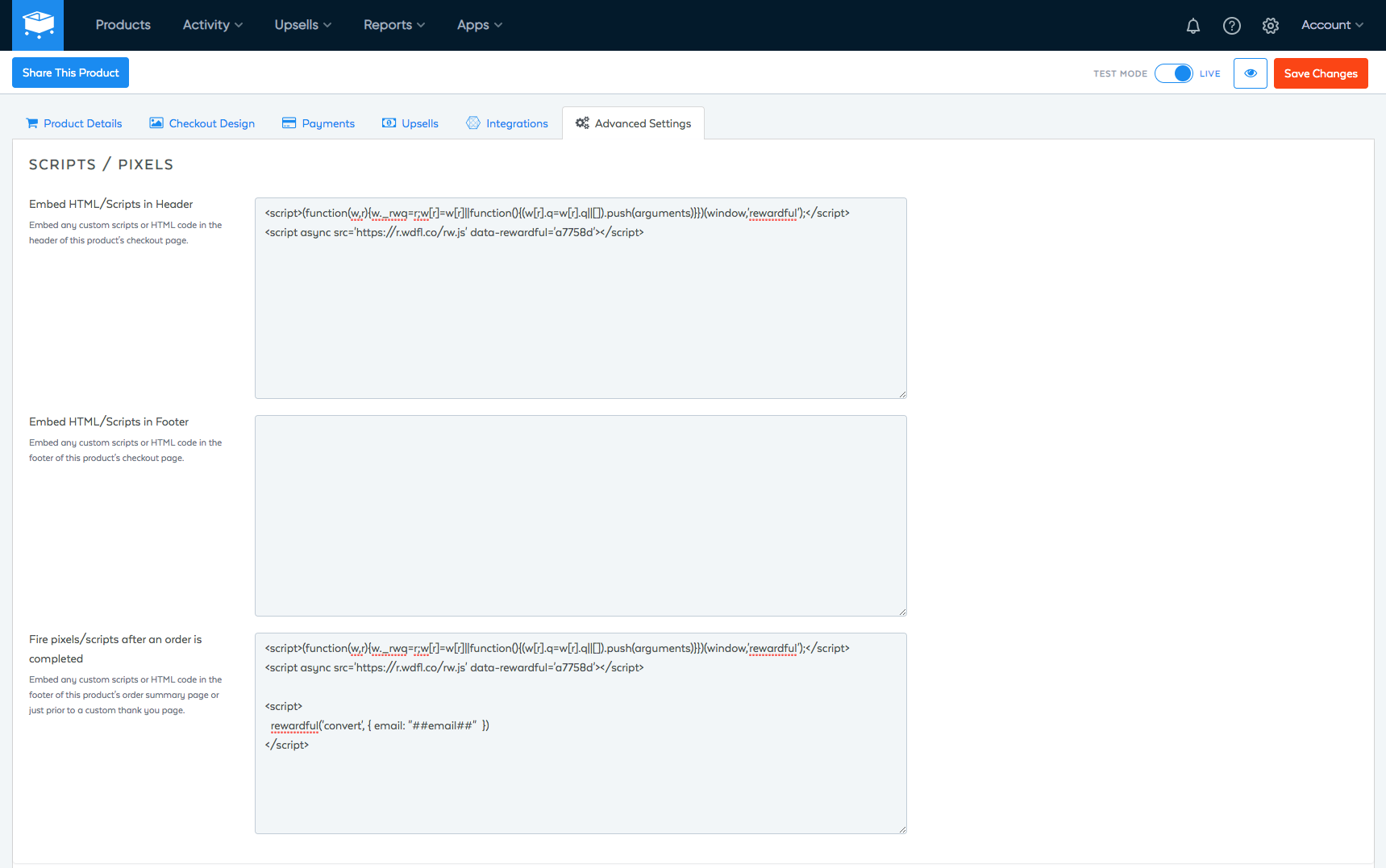
- Navigate to Advanced Settings → Script/Pixles in your SamCart dashboard
-
Copy and paste the code below into the text area labelled Embed HTML/Scripts in Header:
Copy<script>(function(w,r){w._rwq=r;w[r]=w[r]||function(){(w[r].q=w[r].q||[]).push(arguments)}})(window,'rewardful');</script> <script async src="https://r.wdfl.co/rw.js" data-rewardful="f504d0"></script>Note: If you're using a platform that has an official integration with Rewardful, simply copy & paste your Rewardful API key:f504d0. -
Copy and paste the code below into the text area labelled Fire pixels/scripts after an order is completed:
Copy<script>(function(w,r){w._rwq=r;w[r]=w[r]||function(){(w[r].q=w[r].q||[]).push(arguments)}})(window,'rewardful');</script> <script async src="https://r.wdfl.co/rw.js" data-rewardful="f504d0"></script> <script> rewardful('convert', { email: "##email##" }); </script> - Click the Save Changes button at the top-right.
Here's a screenshot of what your settings should look like once you've finished: