Add Rewardful to your website
The final step is to add Rewardful to your website so that we can track visits, leads, and conversions.
These instructions have been prepared for The Copy Haus .
Instructions for Subbly
Choose a different setup method
Step 1: Add Rewardful to your Subbly Checkout
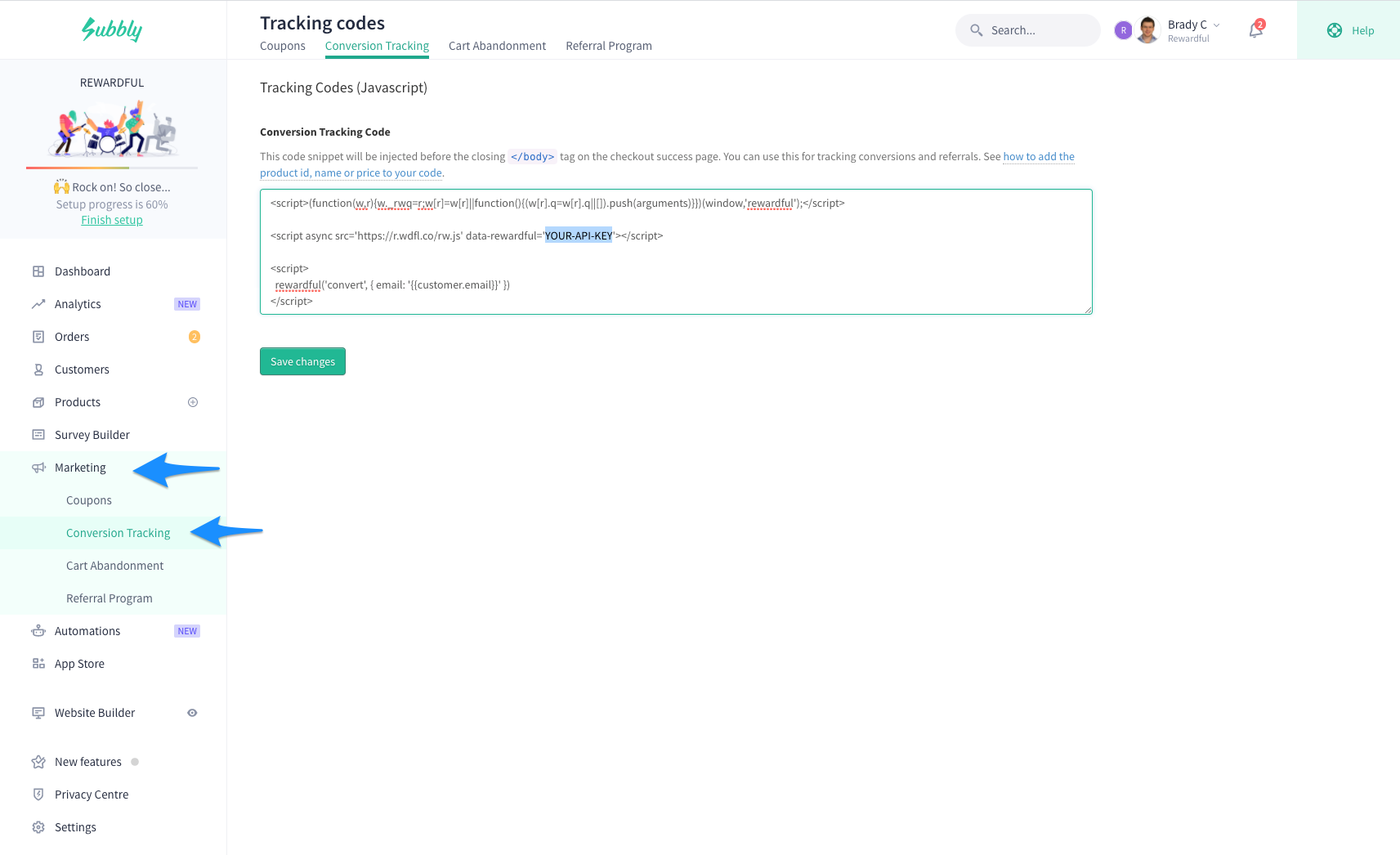
- Navigate to Marketing → Conversion Tracking in your Subbly dashboard.
-
Copy and paste the code below into the text area labelled Conversion Tracking Code:
Copy<script>(function(w,r){w._rwq=r;w[r]=w[r]||function(){(w[r].q=w[r].q||[]).push(arguments)}})(window,'rewardful');</script> <script async src="https://r.wdfl.co/rw.js" data-rewardful="f504d0"></script> <script> rewardful('convert', { email: "{{customer.email}}" }); </script> - Click the Click Save Changes button
Here's a screenshot of what your settings should look like once you've finished:
Step 2: Contact Subbly
Reach out to the friendly support team at Subbly and ask them to add the code snippet below to every page in your checkout:
<script>(function(w,r){w._rwq=r;w[r]=w[r]||function(){(w[r].q=w[r].q||[]).push(arguments)}})(window,'rewardful');</script>
<script async src="https://r.wdfl.co/rw.js" data-rewardful="f504d0"></script>

<script>
  rewardful('convert', { email: "{{customer.email}}" });
</script>
You'll need to reach out to Subbly's support team to add this since code can't be added to the checkout pages from your dashboard.
You can email them at support@subbly.co, or find more contact options here.
Step 3: Adding Rewardful tracking code to your marketing website
Add the code snippet below to the
<head> section of your website so that it appears on every page.
You can perform this step while waiting for the Subbly team to add your code as described in the previous step.
<script>(function(w,r){w._rwq=r;w[r]=w[r]||function(){(w[r].q=w[r].q||[]).push(arguments)}})(window,'rewardful');</script>
<script async src="https://r.wdfl.co/rw.js" data-rewardful="f504d0" data-domains="subbly.co, thecopyhaus.com"></script>
Note:
If you're using a platform that has an official integration with Rewardful, simply copy & paste your Rewardful API key:
f504d0.
Important
This code snippet includes the
data-domains attribute required to perform
cross-domain tracking.
Double-check that the data-domains correctly lists all root domains that your website runs on.
If your website is hosted by Subbly follow the steps below to complete Step 3:
-
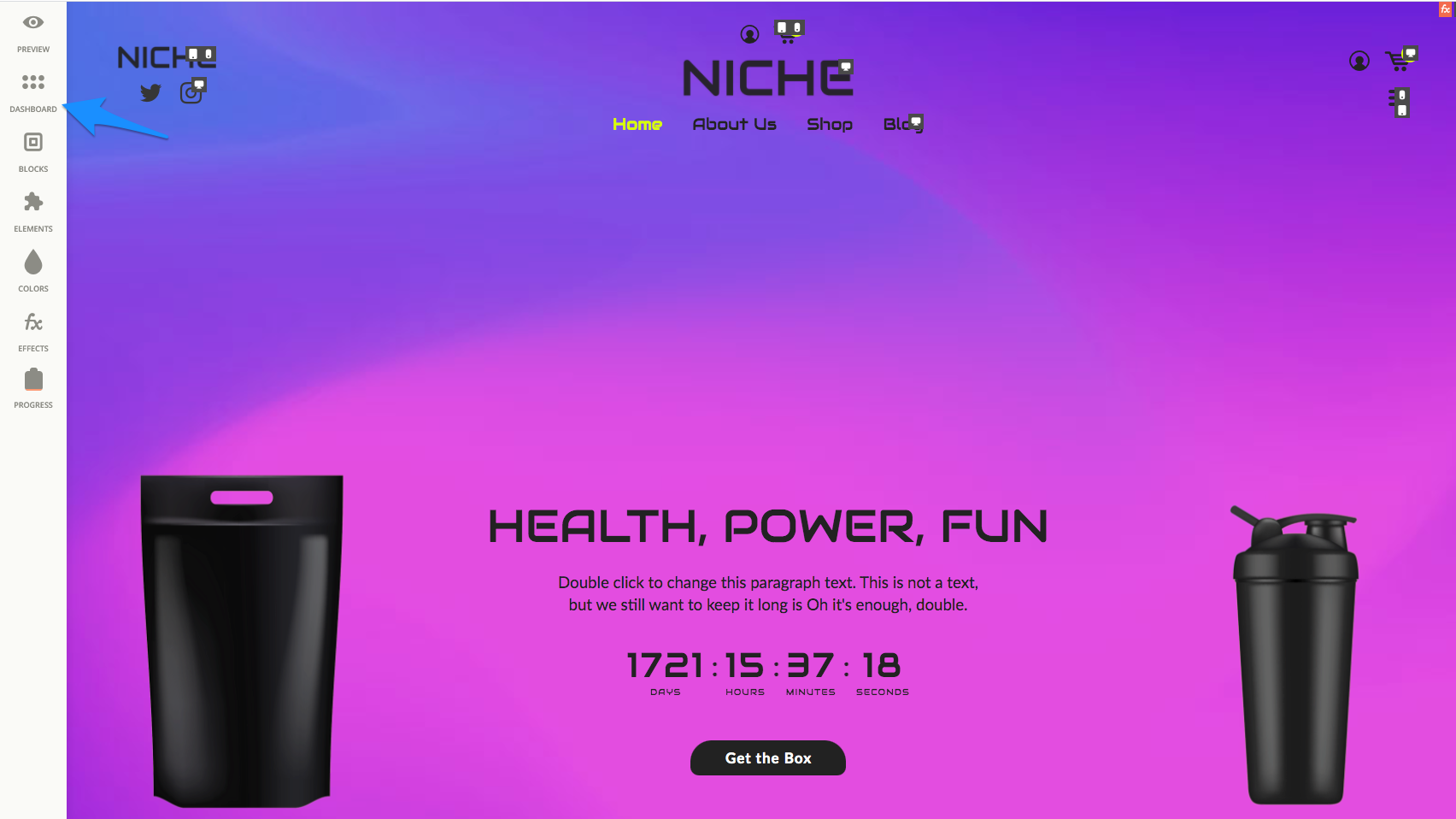
Navigate to Website Builder → Edit Site → Dashboard in Subbly:
-
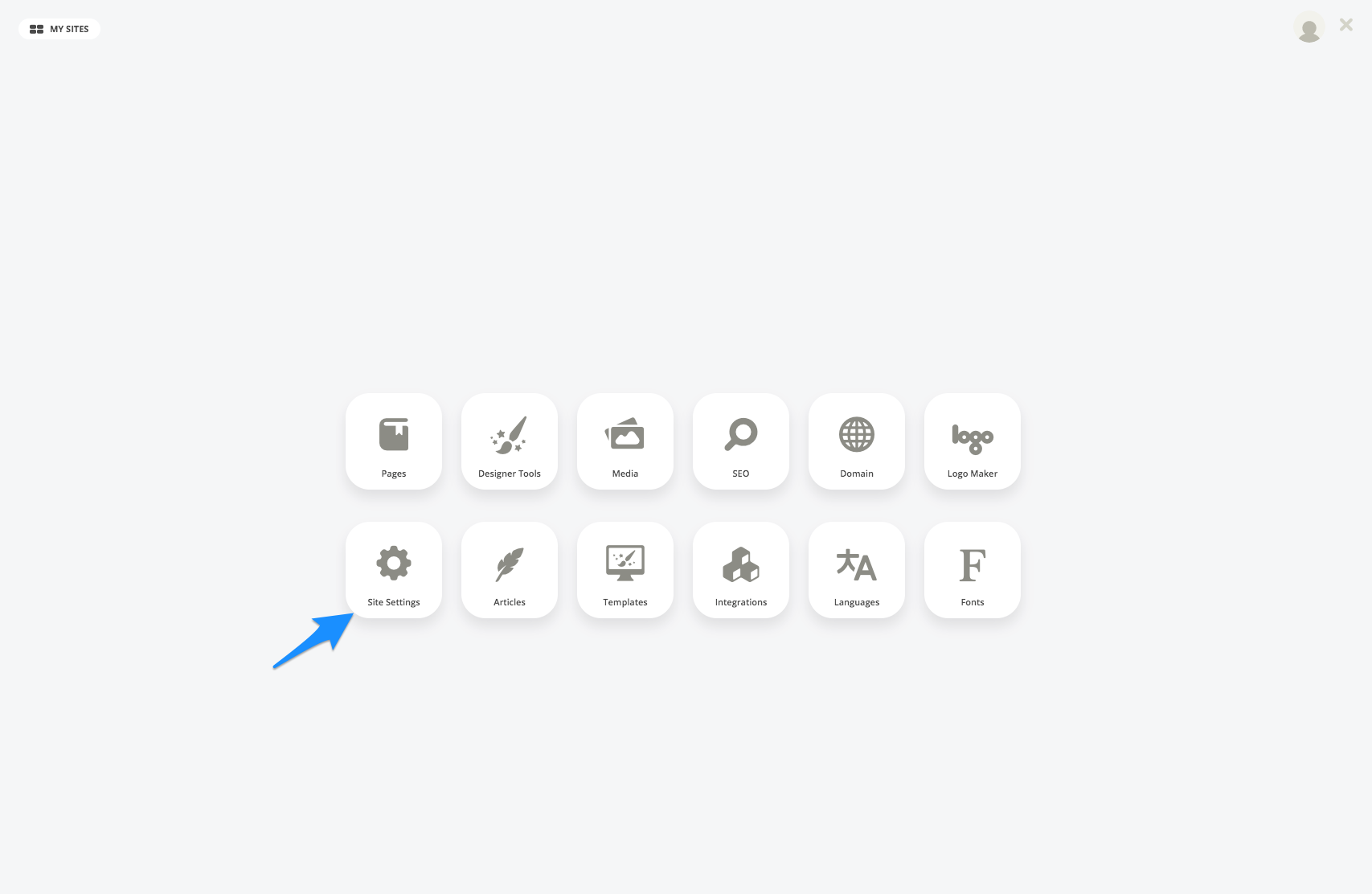
Click on the Site Settings button:
-
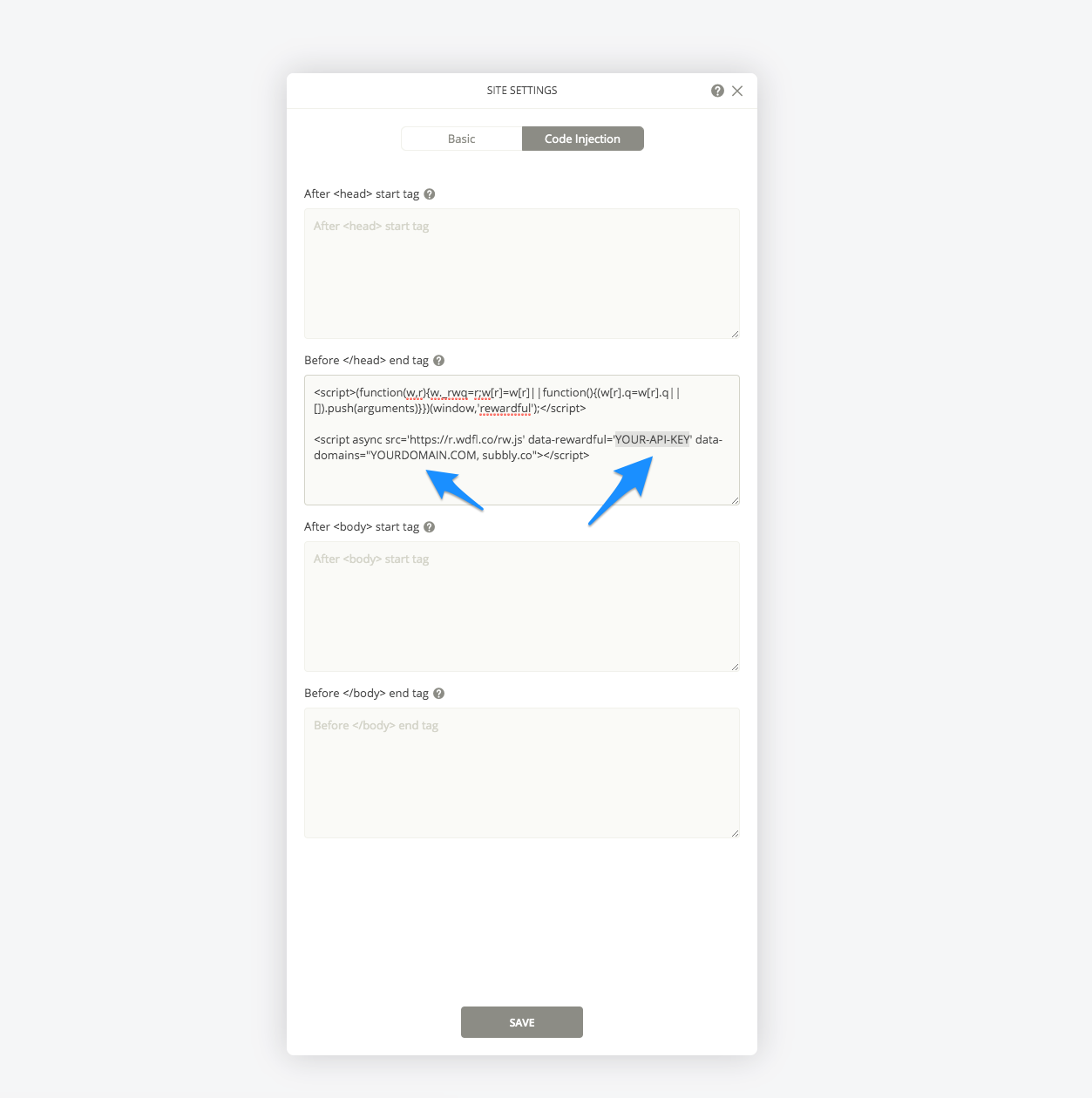
Click the Code Injection tab and add the code snippet above to the text area labelled Before </head> end tag: