Add Rewardful to your website
The final step is to add Rewardful to your website so that we can track visits, leads, and conversions.
These instructions have been prepared for The Copy Haus .
Instructions for Teachable
Choose a different setup method
Step 1: Install Rewardful's Click Tracking Script
-
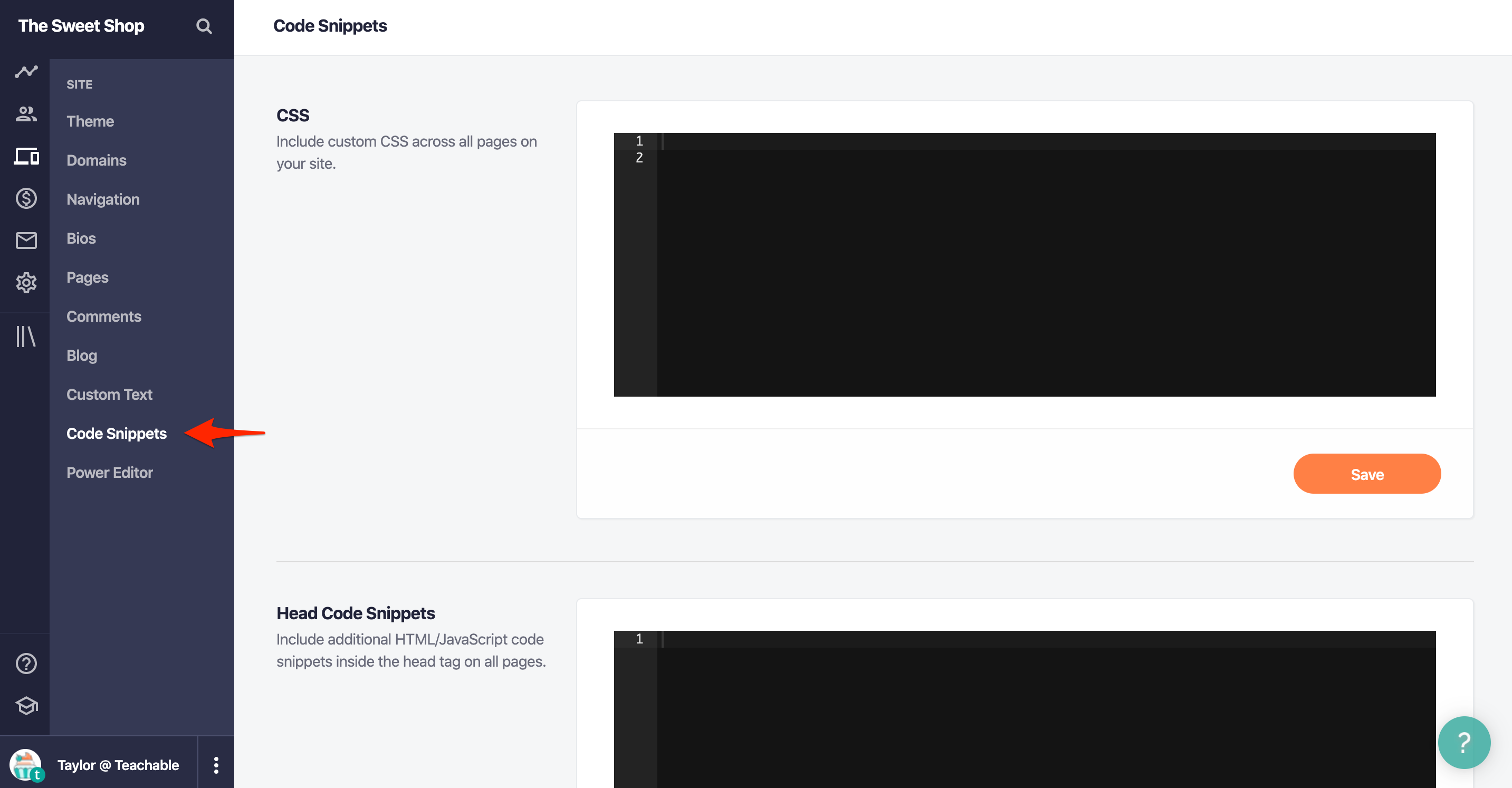
Navigate to Site → Code Snippets in your Teachable dashboard:
-
Copy and paste the code snippet below into the text area labelled Head Code Snippets:
Copy<script>(function(w,r){w._rwq=r;w[r]=w[r]||function(){(w[r].q=w[r].q||[]).push(arguments)}})(window,'rewardful');</script> <script async src="https://r.wdfl.co/rw.js" data-rewardful="f504d0"></script>Note: If you're using a platform that has an official integration with Rewardful, simply copy & paste your Rewardful API key:f504d0. - Click the Save button
Step 2: Install Rewardful's Conversion Tracking Script
- Go to the Course(s) you want to add the Rewardful affiliate program to, navigate to the bottom of the page menu and click on Thank You Page
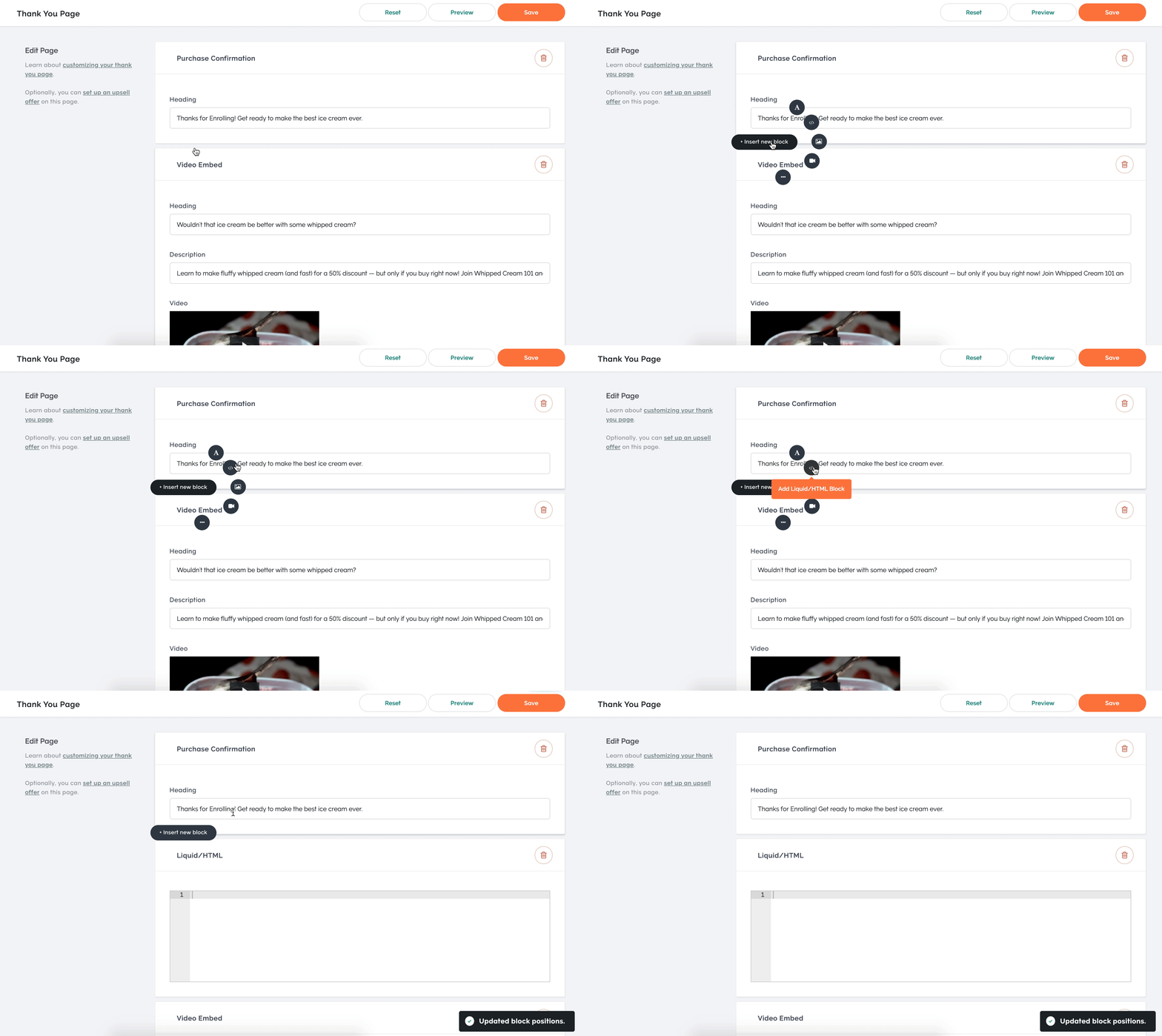
- On the first block called Purchase Confirmation, hover over and the click the Insert new block button that appears.
-
Click on </> Add Liquid/HTML Block the from the popup menu
-
Copy and paste the code snippet below into the Liquid/HTML block you just created:
Copy<script> rewardful('convert', { email: '{{customer.email}}' }); </script> - Click the Save button on the top-right of the screen