Add Rewardful to your website
The final step is to add Rewardful to your website so that we can track visits, leads, and conversions.
These instructions have been prepared for The Copy Haus .
Instructions for Zendo
Choose a different setup method
- Login to your Zendo account.
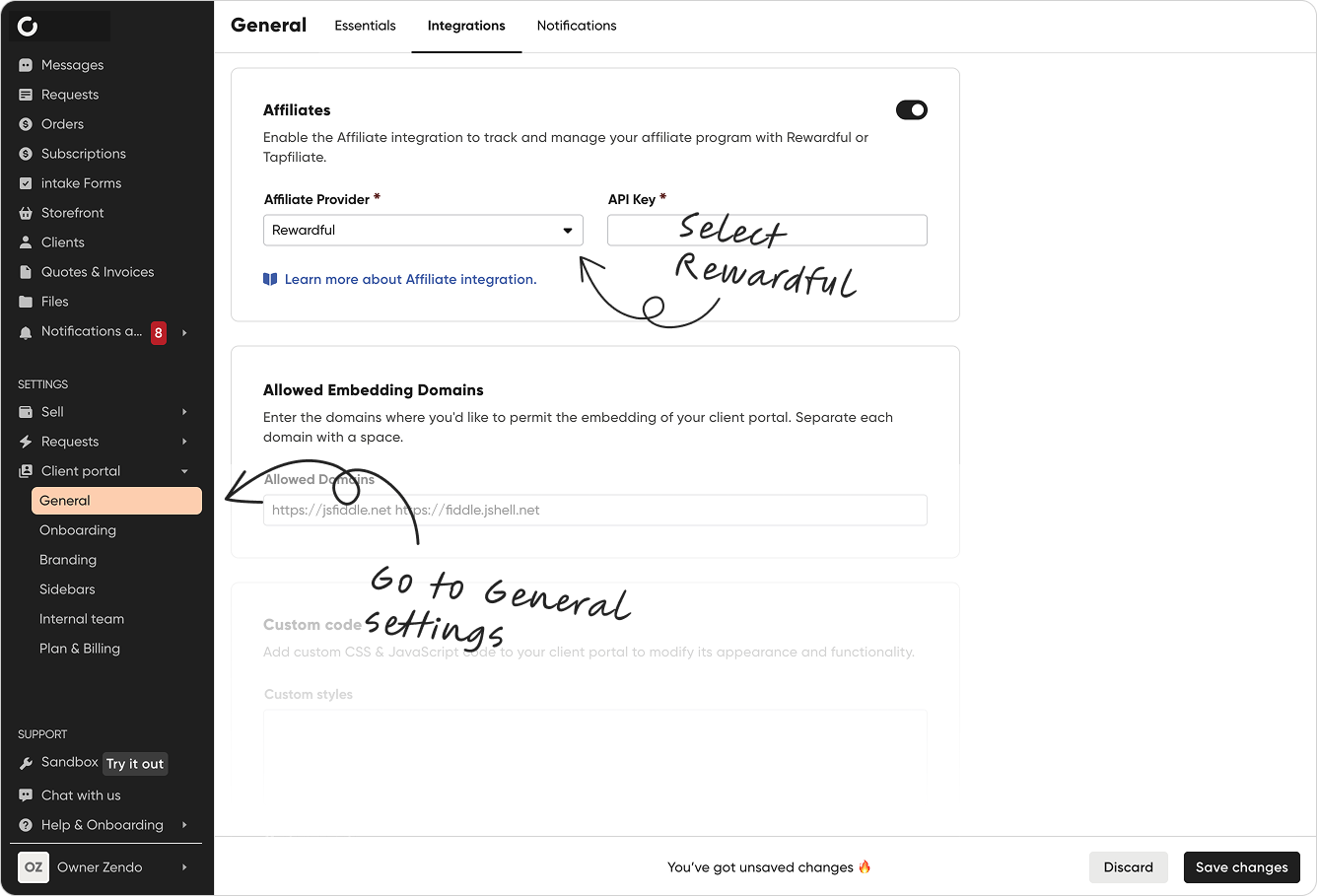
- From the left-hand sidebar, go to Settings → Client portal → General → Integrations.
- Toggle the "Affiliates" switch button and select Rewardful from the list of providers.
- Copy and paste your Rewardful API Key (shown below) into the corresponding field.
Learn more at the Zendo Help Center
Affiliate Systems